
Integration Cloud for SuperOffice
Connect almost anything to your SuperOffice
Exchange data in standardised formats without having to build and maintain your own API integration to SuperOffice.
Developed and certified for:






You provide the data. We provide the route in and out of SuperOffice
Integration Cloud handles the complex part towards SuperOffice. Your system provides or receives data in a supported format (CSV or JSON), and we take care of the rest of the route to SuperOffice.
DATA IN
Send data to SuperOffice
Get data from your ERP, webshop, membership database or another system in a supported format.
Integration Cloud validates and processes the data, ensuring correct creation or updating in SuperOffice.

Can create and update, among other things: Companies – People – Activities – Sales – Projects – Documents – Interests – uDef fields …
DATA OUT
Retrieve data from SuperOffice
Use Integration Cloud’s JSON web services to make SuperOffice data available to other systems, ERP, reporting, websites, data warehouses and other solutions.
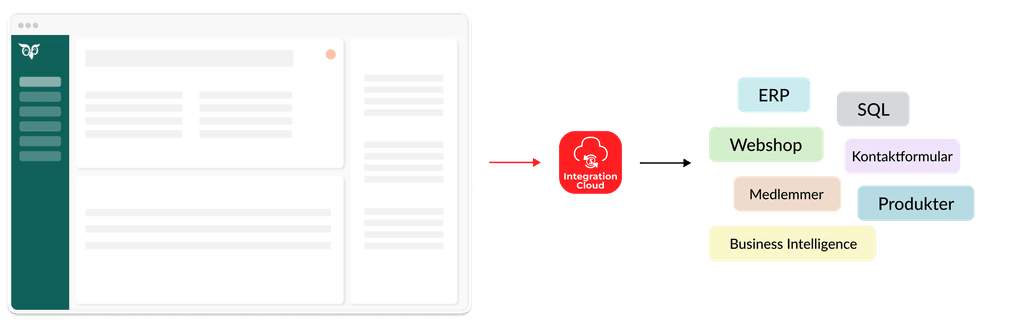
All SuperOffice data can be made available through Integration Cloud’s JSON web services.

Easy. Peace of mind.
You do not need to develop or maintain code for the SuperOffice API. Integration Cloud handles the connection, login, monitoring, security and ongoing compatibility with SuperOffice.
What would you like to connect to SuperOffice?
From ERP and webshops to BI and membership databases. See examples of how Integration Cloud can connect your systems and data to SuperOffice.
An ERP integration can improve customer insight in SuperOffice and eliminate cumbersome duplicate workflows. Here are examples of workflows that Integration Cloud can automate:
Convert an opportunity to a customer
When an opportunity in SuperOffice becomes a customer, it can be transferred to the ERP automatically.
New ERP customers are created in SuperOffice
When a customer is created in the ERP, it can be transferred to SuperOffice automatically.
Changes are updated automatically
Changes in the ERP can be updated automatically in SuperOffice, or vice versa. Choose which system is the master.
Customer financial figures in SuperOffice
Customer details such as invoice addresses, balance, amount due, sales figures and more can be updated automatically in SuperOffice
ERP orders are created as Sales in SuperOffice
When an order is created in the ERP, it can automatically be created as a Sale for the right customer and with the right status in SuperOffice
Product list updates
Products and items in the ERP can be updated automatically in SuperOffice’s built-in price list.
A webshop integration typically brings customers and orders together in SuperOffice to provide a better overview. Here are examples of data flows that Integration Cloud typically automates:
Customer registrations from webshop into SuperOffice
When new customers register in a webshop, they can be created automatically in SuperOffice.
Webshop orders are created as Sales
When an order is created in a webshop, it can automatically be created as a Sale for the right customer and with the right status in SuperOffice
An integration with your Business Intelligence system (for example, Power BI) typically exposes key data from SuperOffice in a combined overview with your other systems. Here are some examples:
Customer overview
Get a complete overview of all your customers, including their distribution by category, size, geography, owner and more.
Activity level
Get an overview of all activities from SuperOffice and see how they are distributed by type, date, owner and more.
Sales / Pipeline
Expose all Sales from SuperOffice and create an overview showing distribution by status, amount, owner, type and more.
Connect your membership database (for example, MemberCare) to SuperOffice so your members are always created and updated correctly in both systems.
Member creation
When new members are created, they can be transferred automatically to SuperOffice
Member updates
When members change, including their status, the changes can be updated automatically in SuperOffice
Member details
Transfer relevant details from each member to SuperOffice for deeper insight.
When you receive enquiries through a contact form, for example a web form on your website, they can be created automatically in SuperOffice so you can follow up easily.
Contact enquiries
Integration Cloud can automatically create a Person and an Activity when a new contact form is submitted.
Event registration
If someone registers for an event on your site, the registration can be created automatically in SuperOffice
If you have CRM-relevant data in your own databases, for example MS SQL or MySQL, you can set up a routine that regularly exports it in CSV or JSON format and sends it to Integration Cloud
In-depth customer details
Customer details that can support sales and customer service in SuperOffice can be updated regularly from your own database.
Statistics and usage
If you have statistics, usage data or other relevant information in your own database, it can help provide customer insight in SuperOffice.
Systems we have integrated with SuperOffice
Integration Cloud is system-independent and can therefore be used with a wide range of standard solutions.
We have experience integrating all the systems below with SuperOffice.
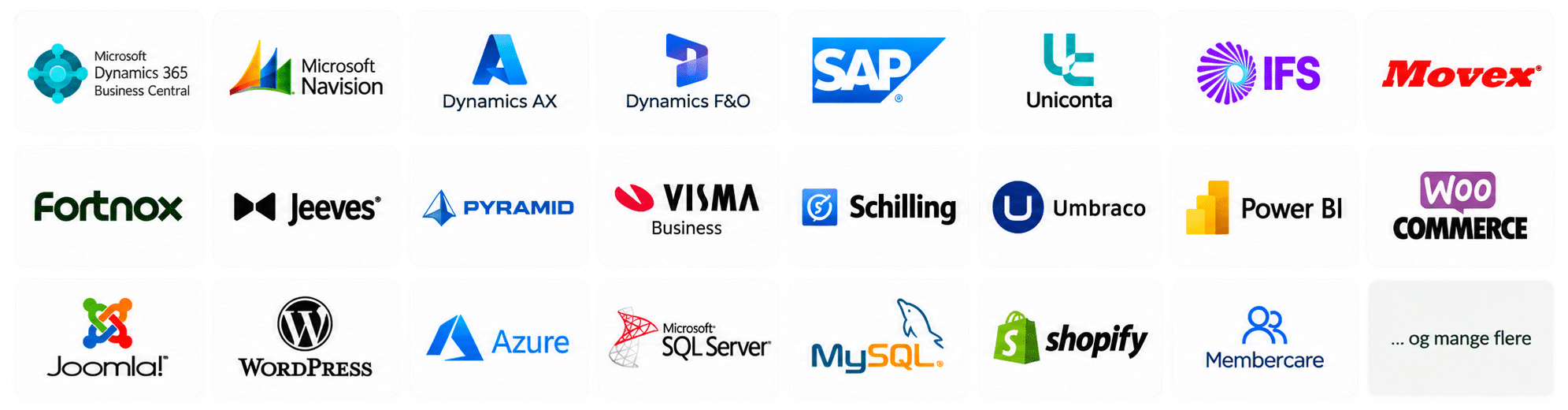
Can’t see your system?
Flexible integration. Clear ownership. Stable operations.
Integration Cloud combines the flexibility to build and adapt your own data flow with a standardised, proven integration layer for SuperOffice. Operated, maintained and supported by Siteshop.
Build and adapt the data flow you need
Your data partner builds against a documented standard format. Integration Cloud takes care of the rest of the route in or out of SuperOffice. You can therefore adapt the integration over time without contacting Siteshop.
Let the right experts take responsibility
The data source expert controls the data and logic in the source system. Siteshop is responsible for the SuperOffice part. We have deliberately avoided an extra field-mapping layer that creates more sources of error and makes ownership unclear.
SuperOffice can change. Your integration does not have to.
We maintain Integration Cloud as SuperOffice changes, while the standard formats for your integration remain stable. You avoid a new consulting project every time the SuperOffice API changes.
Operations and support are included
Our operations team monitors the integrations and detects when data fails or suddenly stops arriving. Support, maintenance and troubleshooting are part of the product—not a new development project every time.

The technical foundation is already in place
Integration Cloud handles the technical disciplines required to move data safely and reliably in and out of SuperOffice, so your data partner can focus on your data flow.
CSV and JSON
Choose the format that fits your data flow
Integration Cloud supports CSV via SFTP and JSON via HTTPS web services, so your data partner can build the integration using the method that fits the solution.
Secure data exchange
Security and authentication are already built in
CSV is exchanged via SFTP, while JSON uses HTTPS and authentication. Integration Cloud handles the secure connection to SuperOffice.
Queues, ordering and retries
Data must not only arrive. It must arrive in the right order.
When Integration Cloud receives data, the queue system ensures the correct order and delivery to SuperOffice. A built-in retry policy handles temporary issues.
Validation before SuperOffice
Catch problems before they become poor CRM data
Integration Cloud validates the data format and key data requirements, including mandatory fields, ID keys and duplicates, before data is processed in SuperOffice.
Cloud or on-premises
The data source can stay where it is
Integration Cloud can receive data from both cloud-based and on-premises systems. You send the data to Integration Cloud, so we do not need login access to the source system.
Monitoring and error handling
Automatic monitoring while the integration runs
Integration Cloud logs and monitors data processing. If data fails or suddenly stops arriving, our operations team detects it and proactively follows up with the customer.
See the full technical documentation here.
How it works
Your data owner or partner prepares and automatically sends data in an easy standard format.
Integration Cloud then takes care of the rest of the route to SuperOffice.
01
Choose data that adds value in SuperOffice
You decide what should be integrated
Your data partner knows the source system and can calculate, prepare and automatically output exactly the data that makes sense for your integration.
02
Use a documented standard format
Build on a familiar and stable interface
Data is delivered as CSV or JSON. Your data partner therefore does not need to build directly against the SuperOffice API.
03
Integration Cloud handles the rest
We take care of the complexity
Integration Cloud validates and processes data and handles queues, retries, security and the technical integration with SuperOffice.
04
Continue working in SuperOffice
Valuable data where it is needed
Integration Cloud ensures correct creation and updating in SuperOffice, while Siteshop continuously keeps the connection aligned with developments in SuperOffice.
We help get your integration up and running
You can build the integration from our documentation, and we help you and your data partner with clarification, testing and validation towards go-live.
See the documentation here
01: Clarify the data flow
We help align the method, formats and data flow, and advise on workflows with you, your data partner and the SuperOffice administrator so everyone knows how the integration should be set up.
02: Test with your data
During onboarding, we test and validate the data you send and help make the data flow work correctly with SuperOffice.
03: Put the integration into operation
Once the integration is put into operation, Siteshop continues to maintain, monitor and support Integration Cloud and the connection to SuperOffice.

“Siteshop clearly had extensive experience with ERP integrations for SuperOffice.
They first helped us plan the right data flows and workflows, and then set up the integration in Integration Cloud—in close collaboration with our ERP manager.”
Mads Nobel Danborg
Head of Marketing & Digital Transformation, Wexøe Industries A/S
What you get from Integration Cloud
Get more from your SuperOffice CRM
Bring relevant data from your ERP, webshop, membership database and other systems into SuperOffice, giving users a stronger customer view and a better basis for sales and customer service.
Integrate without starting from scratch
Get the flexibility to build the data flow your business needs without also having to develop and maintain the entire integration with SuperOffice.
Experts where it matters
Let your data partner focus on your source system and data while Siteshop takes care of the SuperOffice part. This creates a simpler solution with fewer grey areas and less unnecessary consulting work. You can even extend the integration yourself.
Get an integration that keeps working
Siteshop keeps Integration Cloud compatible with SuperOffice and monitors the integrations in operation. You do not have to handle API changes yourself, and we detect problems before they reach users.
Pricing
Standard
DKK 850
/ month
Up to 10 users in SuperOffice
Onboarding from DKK 12.500
Min. DKK 850 / month
billed annually
Professionel
DKK 1.235
/ month
Up to 30 SuperOffice users. Includes the options below
Onboarding from DKK 25.000
Min. DKK 1.235 / month
billed annually
Enterprise
DKK 1.869
/ month
For 30+ SuperOffice users or advanced integration options
Onboarding from DKK 25.000
Min. DKK 1.869 / month
billed annually
What does the annual price cover?
The fixed annual price reduces the need for new consulting projects as SuperOffice and the API evolve.
- Operation of Integration Cloud
- Proactive monitoring of the integration
- Email support—and phone support with Enterprise
- Ongoing compatibility with new versions of SuperOffice
- Access to an SFTP server for CSV integrations
- Access to available JSON web services
What is included in onboarding?
Onboarding includes at a minimum:
- Validation of data, fields and formats
- Testing of your specific data flow
- Checking that data arrives correctly in SuperOffice
- Preparation for operation
As needed, we can also help with:
- Advice on integration design and data flow
- Technical alignment with your data partner
- Review with relevant users
- Extended documentation

Helpful installation tips
If you are unsure about the installation or configuration, email support@siteshop.dk
What would you like to connect to SuperOffice?
Tell us about your systems and data flow, and we will discuss how Integration Cloud could fit in.