
Risika CRM CONNECTOR
Find the right companies – and get them correctly into CRM
Find and assess companies directly from CRM — and spot potential and risk before you invest valuable sales time.
Plug ´n Play CRM Connector for:

Assess potential and risk before you invest valuable sales time
Risika data helps you understand both potential and risk. The CRM Connector brings that insight directly into the place where Sales already works.
Credit assessment often happens late in the sales process. With the Risika CRM Connector, your sales team gets access to credit and risk insights already when they find and assess new prospects in CRM.
That helps you prioritise sales time on a better-informed basis and identify risky companies earlier.
01
Find
Search for specific companies or discover new prospects with a broader market search.
02
Assess
See the company’s credit and risk assessment before deciding whether to invest sales time in it.
03
Import and automatic updates
Bring the relevant companies into CRM with detailed Risika data and keep them automatically up to date.

How the Risika CRM Connector works
1
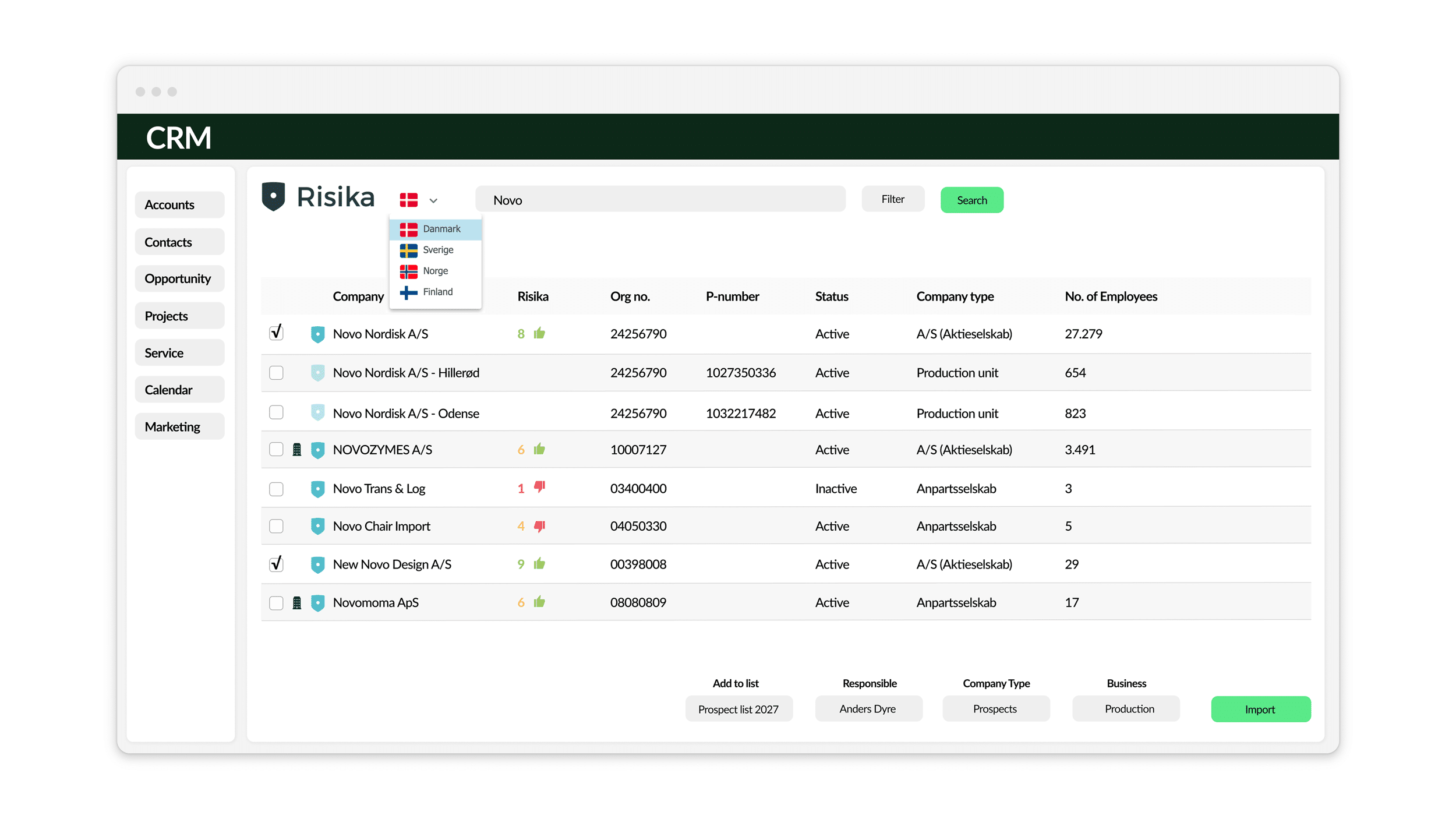
Create new companies directly in CRM using the Risika CRM Connector. Simply enter, for example, the company name, registration number or phone number in the search field.
2
The results show whether the companies already exist in CRM, along with their Risika Score and other company details.
3
Select the companies you want to create and click Import. The companies will then be created in CRM within moments.
1
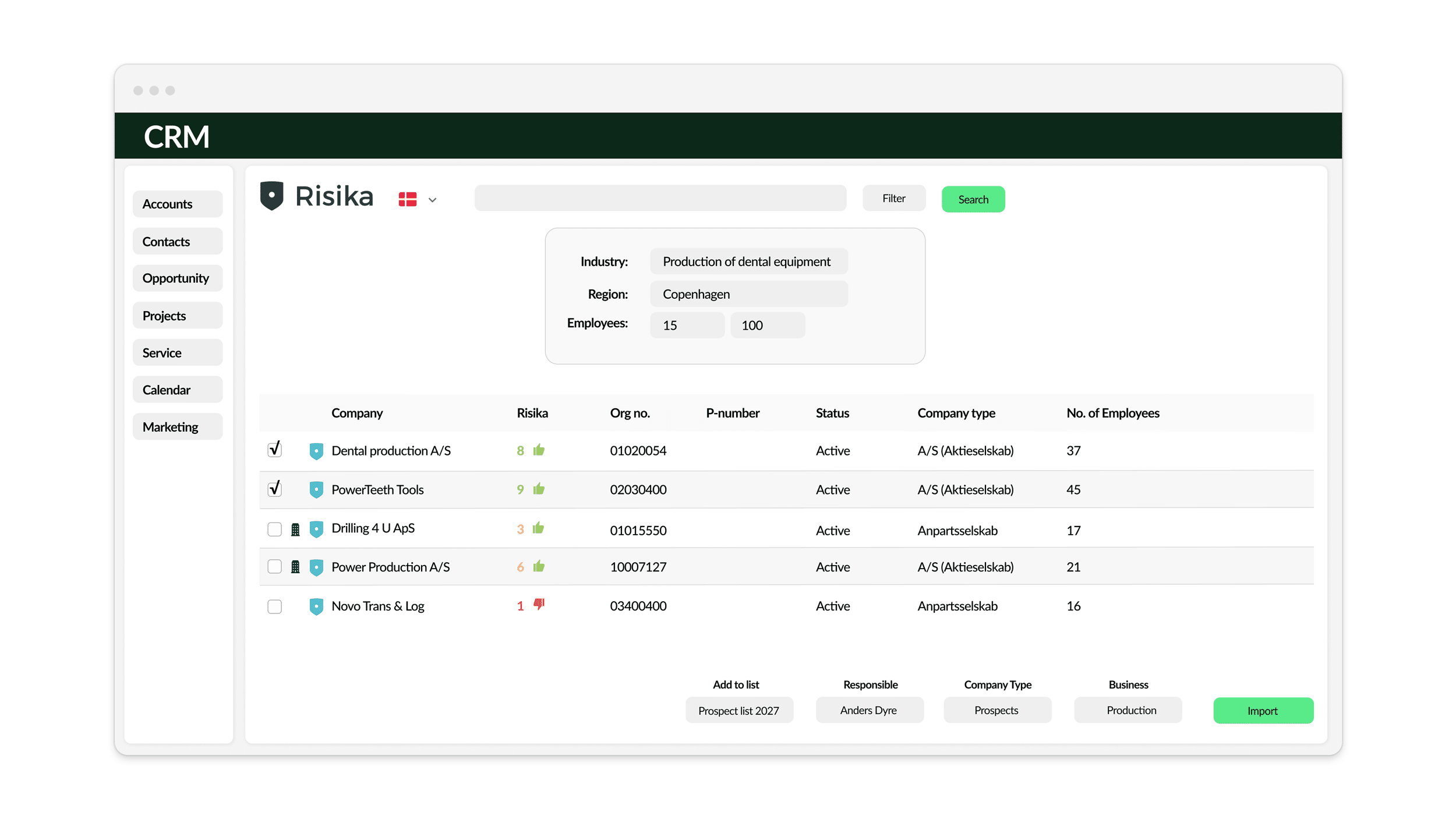
Use filtered search to define the criteria for a market search.
2
Search across industries, geography, company size, financials and more.
3
The results are checked for duplicates as always, and you can choose which companies you want to import into a list in CRM.
1
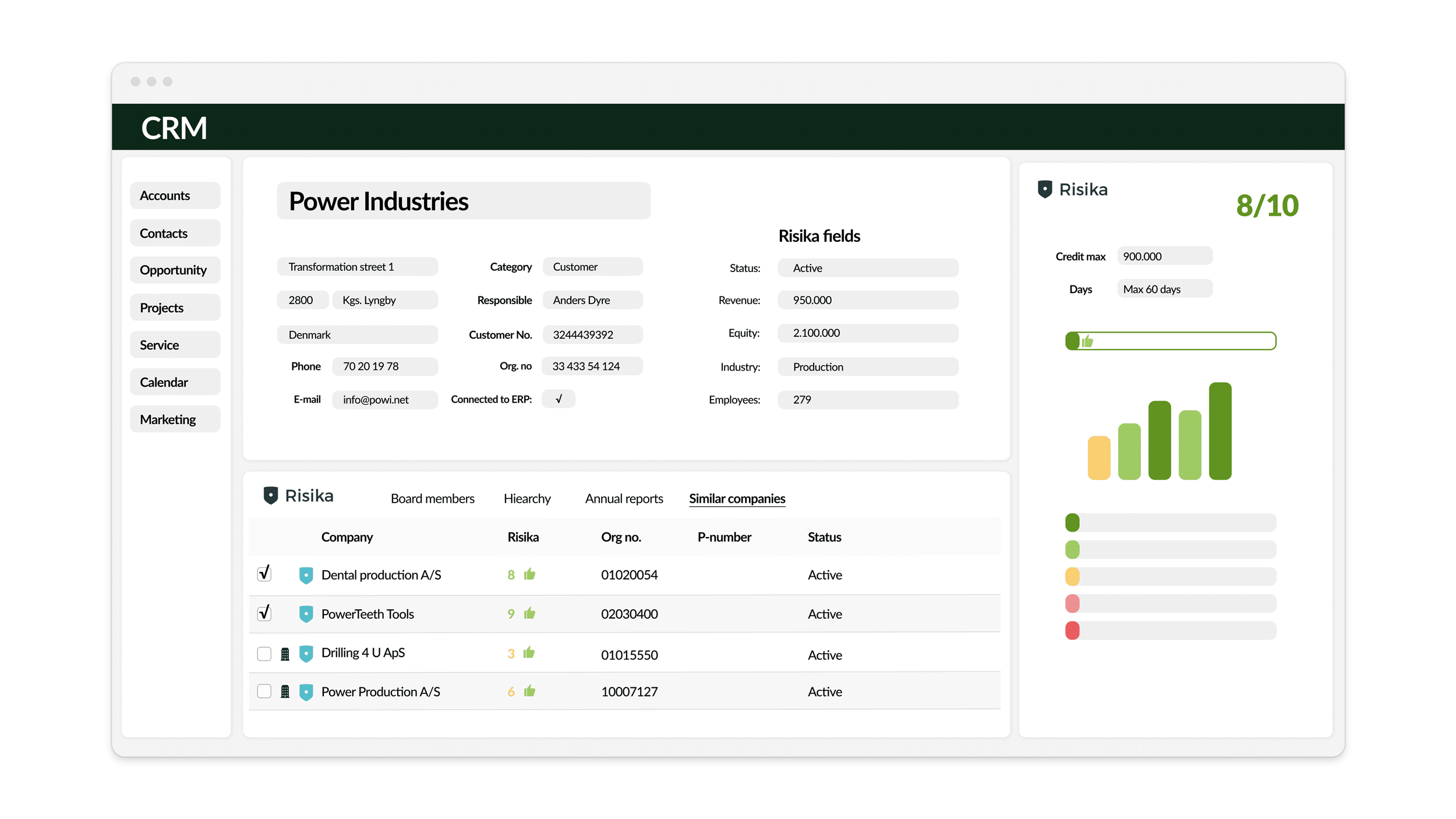
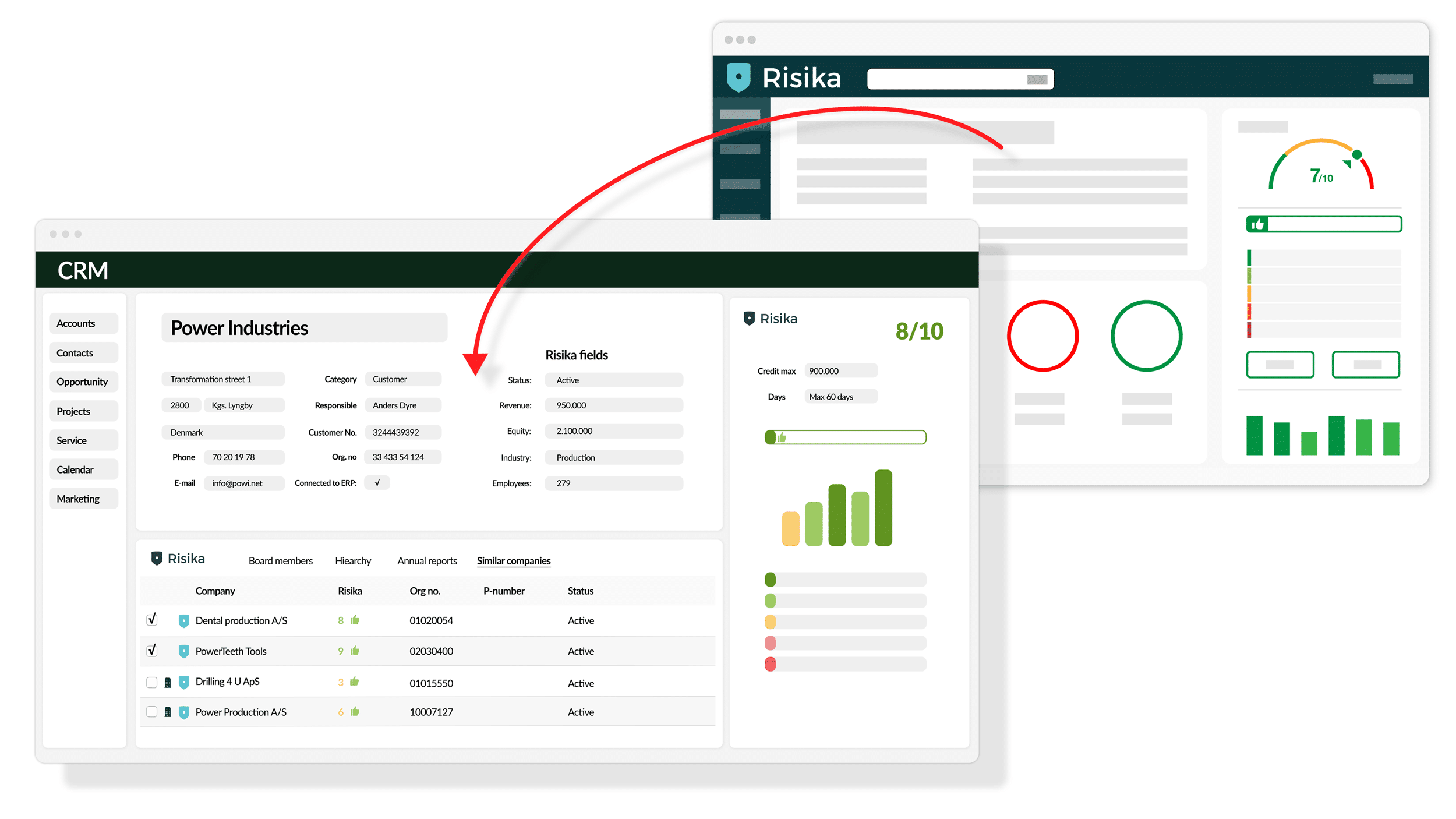
Risika’s assessments, scores and recommendations are now displayed in panels on each Account in CRM.
2
Company details, financial figures, board members, company structure and similar companies are displayed in the Risika Details panel.
3
Risika fields are also available as CRM fields, so you can search, filter and visualise CRM data based on them.
1
Every evening, the Risika CRM Connector can update company fields on each Account in CRM.
2
Both core company data and company details can be updated automatically. You can choose which fields should be kept up to date.
3
Automatic updates help CRM users keep company data accurate and up to date at all times.


One complete package, ready to use
From company search and risk assessment to import and continuous updates — directly in your CRM.
Key features
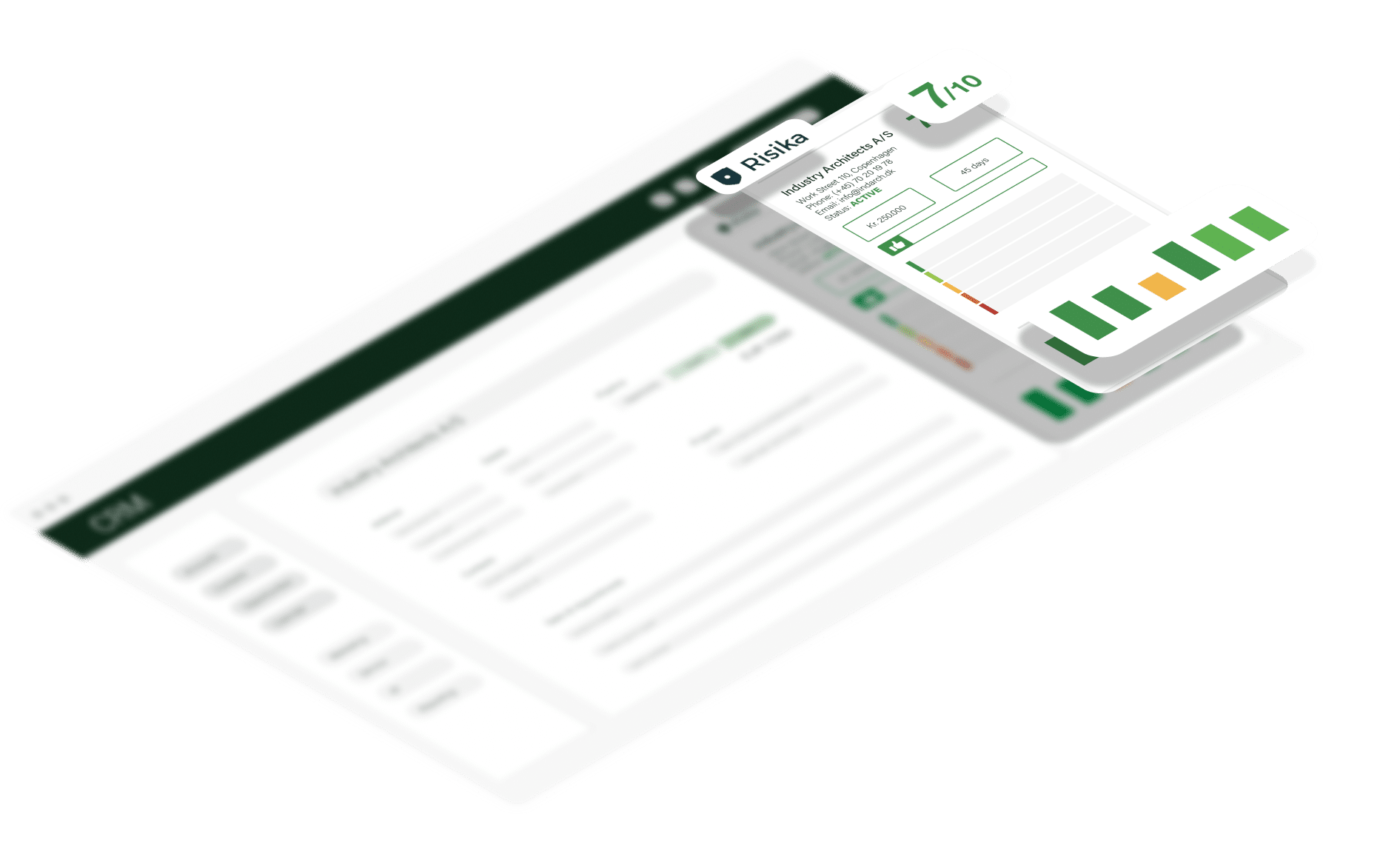
What you get with the Risika CRM Connector
Find companies with the right potential
Use Risika’s company data and market search to find and qualify new prospects, so your sales team can focus on the companies that are the best fit for your business.
Spot the risk before you invest valuable sales time
Bring credit and risk assessments into the lead stage, so your sales team can identify high-risk companies before spending unnecessary time pursuing them.
Get better company data in CRM
Create companies with accurate, detailed Risika data instead of relying on basic company information alone. At the same time, the Connector helps prevent duplicates and reduces manual data entry.
Keep an eye on your customers — even after the sale
Risika data is updated automatically every night, so changes to company data and risk profiles are reflected in CRM.

“Risika has improved the data quality in our CRM and made it easy for Sales to import potential customers with better insight from the start.
The Siteshop integration is completely seamless and delivers significant value to our CRM users.”
Karin Bech Madsen
Marketing & CRM, Guldager
See the Risika CRM Connector in action
Book a short demo and see how Risika and your CRM can work together.
Pricing
Free Trial
Free
30 days
–
–
Approval by Risika
Standard
EUR 23
/ user / month
Minimum purchase of
3 Connector users
Minimum EUR 69 / month
billed annually
Professional
EUR 17
/ user / month
Minimum purchase of
6 Connector users
Minimum EUR 102 / month
billed annually
Enterprise
EUR 9
/ user / month
Minimum purchase of
16 Connector users
Minimum EUR 144 / month
billed annually
NB. See the current price in your local currency in the App Store.
The Risika CRM Connector is billed annually.
*The Risika CRM Connector supports data from Denmark, Sweden, Norway and Finland.
“Risika data access” is not included in the prices above and must be activated as part of your Risika subscription with Risika A/S.
How to get started
Installation and registration of the Risika CRM Connector starts in your CRM platform’s App Store — choose yours below. Installation must be carried out by your CRM Administrator or CRM Partner.
Choose your CRM system here: dit CRM-system her:
Before starting the installation, we recommend reviewing the documentation below and checking the helpful tips in the list on the right. If you have any questions about installation or configuration, contact us at support@siteshop.dk.
Documentation
SuperOffice
Dynamics 365 Sales
Salesforce
Installation Tips
How does the Risika CRM Connector fit into your everyday work?
Book a short demo tailored to your CRM and daily workflows.